A calm little farm for small children
Animals to care for, a family to help and a little job at each part of the day. Your children play a short while, then the farm says good night and the screen goes dark. You decide how long.
- ✅ Free
- 🙅 No account
- 🚫 No ads
- 📵 Screen time built in
- 🌍 10 languages
Works in the browser on a tablet, phone, computer or smart TV. Nothing to install.
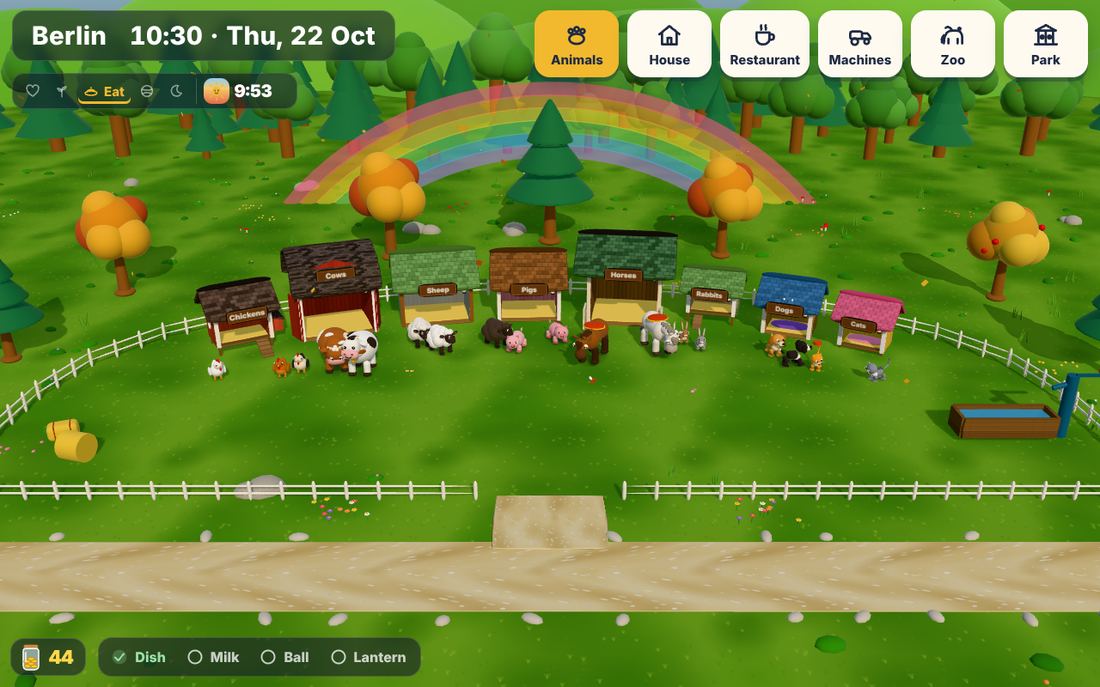
Two things every grown-up should know
Open the settings
Hold the bottom-right corner for 2 seconds until the yellow ring is full. Set screen time, family, animals and sound there.
The farm is dark?
It is sleeping: play time is over, or it is outside the play hours. To wake it, hold the clock in the top-left corner for 2 seconds.
Small hands don’t find these by accident: a quick tap does nothing. You can add a 4-digit parent code in the settings too.
An idea from a 4-year-old and a 2-year-old
“Can we have animals on the tablet that need us?”
Our two boys love animals, our house and helping with everything. They wanted little pets to look after and simple things to do, for a short time each day, and something better than cartoons that just play on and on.
So we borrowed the nicest idea of the old pocket pets, someone small who needs you, and made it right for little children. Nobody gets sick, nothing beeps for attention, and nothing is ever lost. The animals simply say “no thank you” when they have had enough. When play time is over, the whole farm goes to sleep.
The parents stay in control: how long, how often, at what times, and with sound or without.
Every feature comes from their days
- 🐶The dog jumps in puddles after the rain, so he needs a bath. Now every farm animal can have one, or all of them at once.
- 🎂Birthdays are the best days, so every family member and every animal gets a party with a cake, balloons and the whole family.
- 👵Grandma and grandpa visit, so the farm has grandparents too, with glasses, a cane and a cosy armchair.
- ⚽Playing ball with the dog in the afternoon, eating together in the restaurant, waving to the zoo animals: things they do every week.
- 🌙Bedtime is a ritual, so the farm has one: the animals go into their houses and the lights go out.
Five things to know, that’s all
Made so a two-year-old can play without reading. Big picture buttons, no menus, nothing to lose.
Open the link
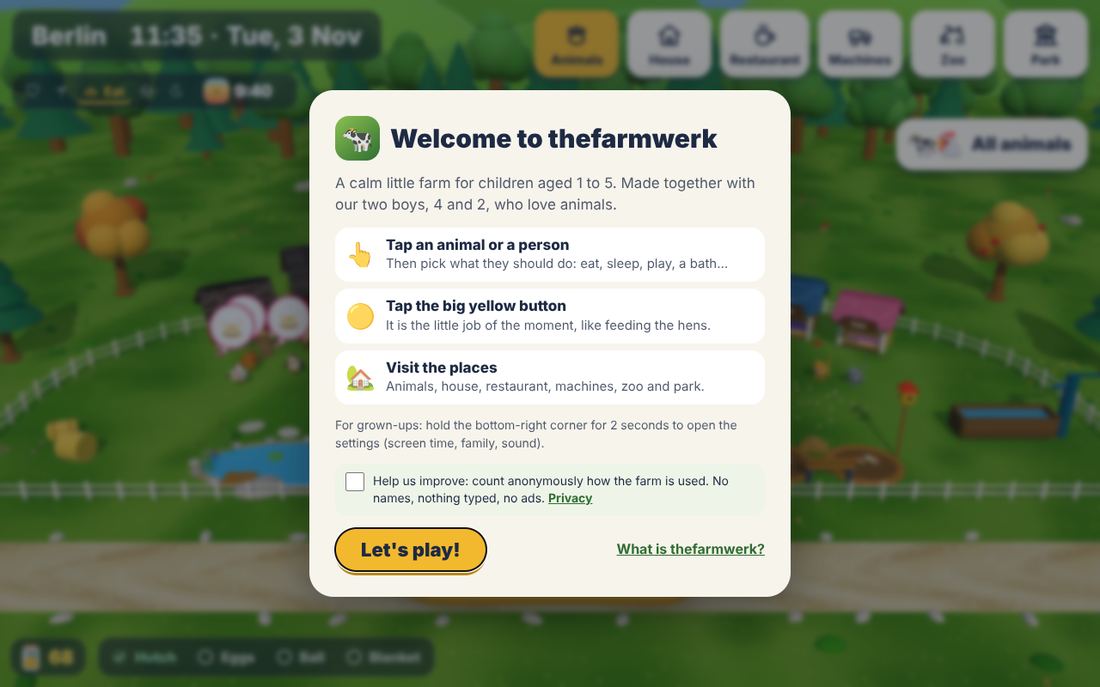
On a tablet, phone, computer or TV browser, open thefarmwerk.com. The first time, a short welcome explains the basics. Tip: add it to the home screen (on the iPad: Share → Add to Home Screen) and it opens full screen, even offline.
Tap an animal or a person
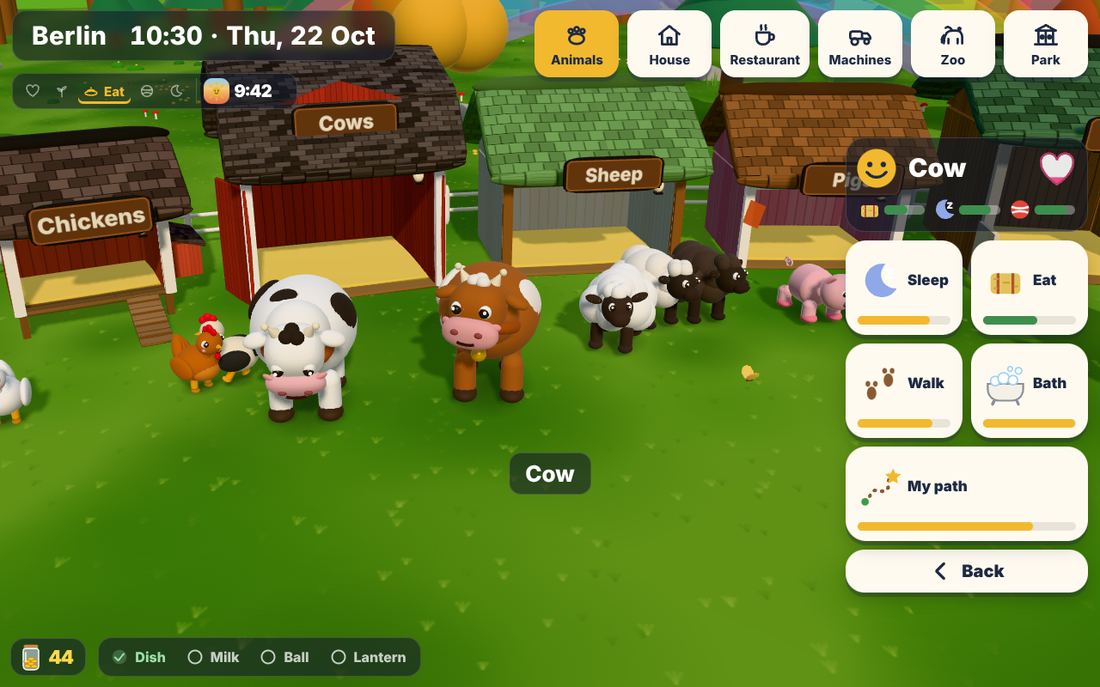
The camera comes close and big picture buttons appear: Eat, Sleep, Play, Bath, My path. The bars show what they need; a glowing button is what they wish for right now. Do it, and their heart fills up.
Tap the big yellow button
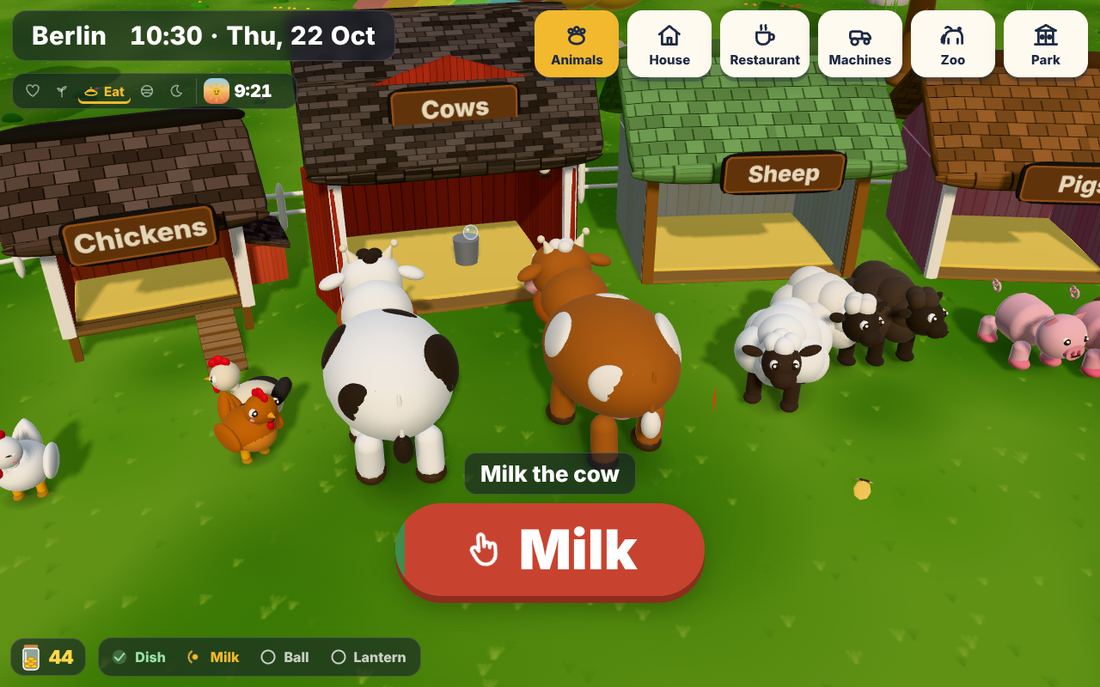
It is the little job of the moment: feeding the hens in the morning, milking the cow, a picnic, the lantern at bedtime. Tap it and watch it happen; the button turns into a ring that fills up.
Visit the places
Six places along one road: the animals, the house, the restaurant, the machines in the fields, the zoo and the park. Tap a place at the top to go there.
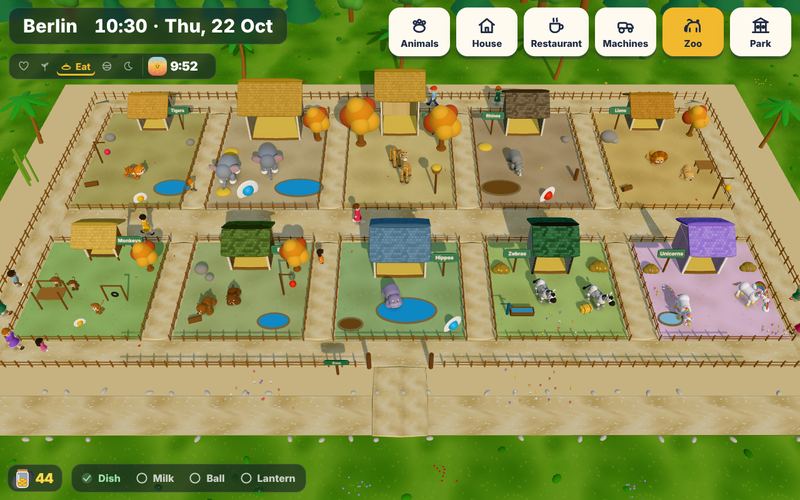
Good night
When play time is over, everyone says good night and the screen goes dark. Nothing a child taps wakes it early. Only a grown-up can, by holding the clock in the top-left corner.
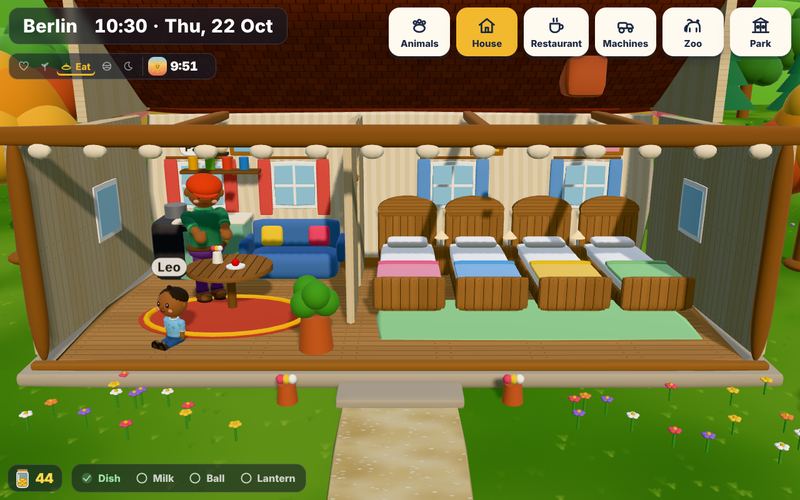
It follows your real day
The farm uses your clock and, if you like, the real weather of your town. Mornings are for care, evenings for sleep.
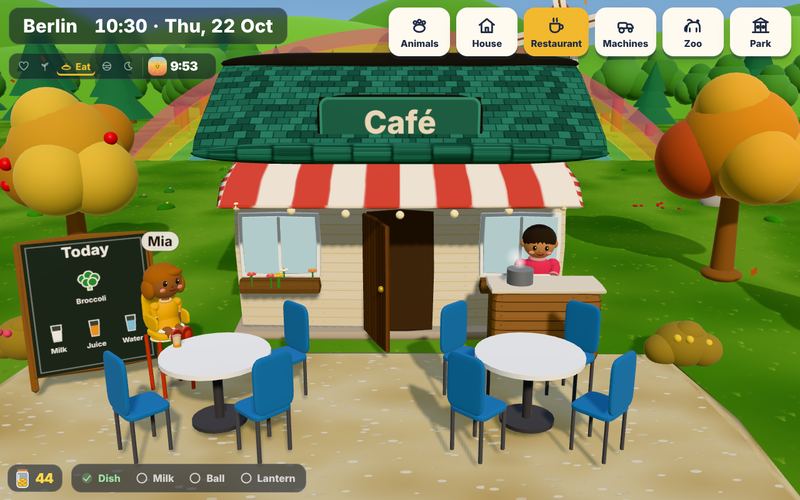
🍽️ Restaurant
Right next to the house. The family cooks what the fields grew, and the menu has pictures.
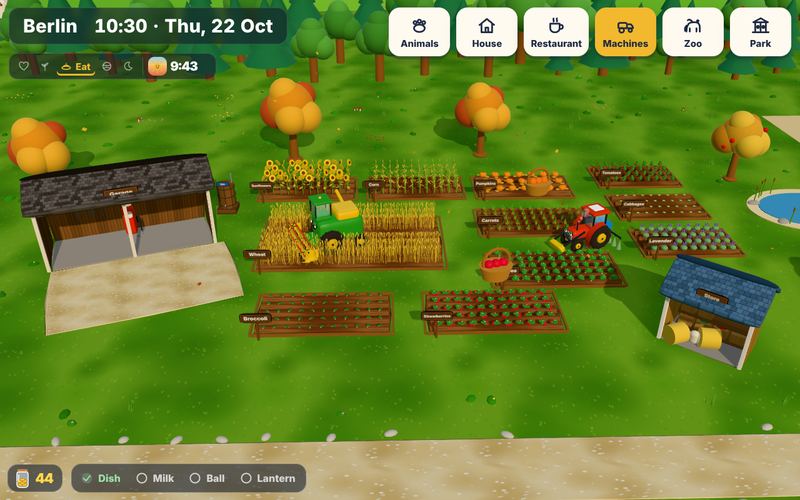
🚜 Machines
A tractor and a harvester that plough, sow, water, harvest, fill up and get washed.
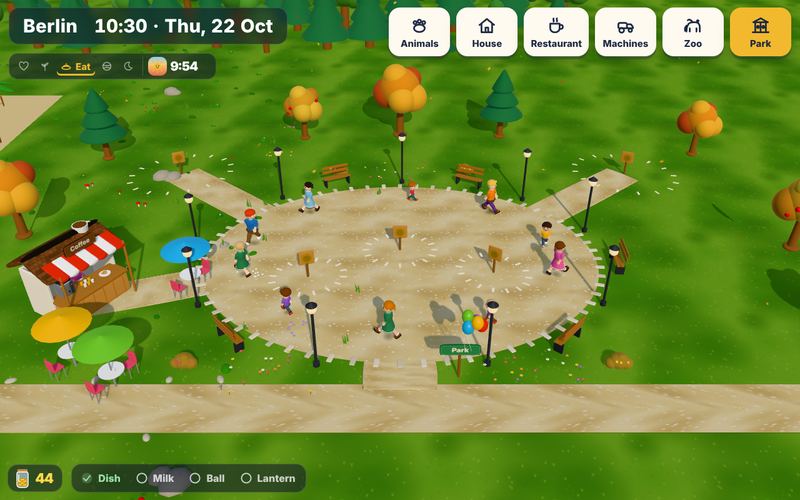
🎠 Park
A carousel, a slide, a trampoline, a coffee stand with a queue, and on weekends a market.
You stay in control
The settings are hidden from small hands: hold the bottom-right corner for 2 seconds and a yellow ring fills up.
Screen time
Pick Short (5 min), Balanced (10 min) or Longer (20 min), how many times a day, and the hours. Afterwards the farm sleeps and the screen goes dark.
Your family
Add your family with names and ages: children, parents, grandparents. Names float above their heads, age sets their height.
Your animals
Choose which animals live on the farm and in the zoo, how many, and their birthdays. Baby animals grow up over the days.
Quiet by default
Sound is off until you switch it on, and always silent at night. A soft music box if you like.
Parent code
If the children find the corner, add a 4-digit code. On an iPad, Guided Access keeps them inside the farm.
Private
No account, no ads, no in-app purchases. Everything is saved only on your device. Anonymous statistics only if you say yes.
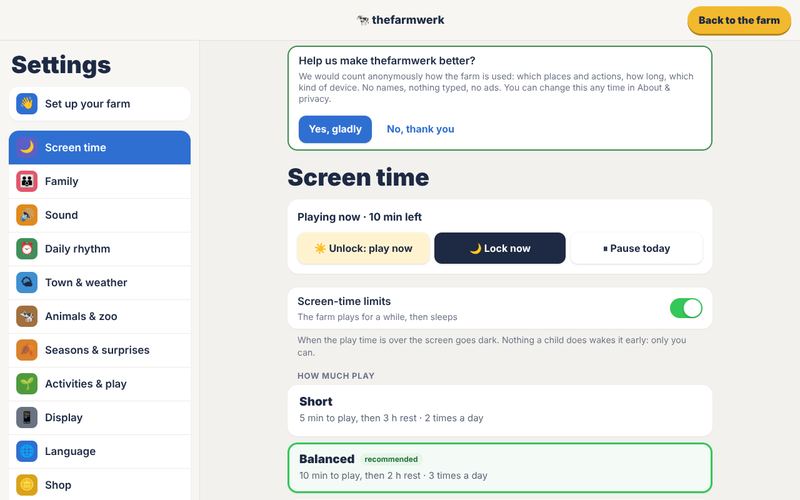
⚙️ Settings like a phone
A list of topics, each with simple switches and big buttons. A 4-step guide sets up a new farm in two minutes.
Good to know
Is it really free?
Yes. It is a private project with no ads, no purchases and no subscription. It is free for private, non-commercial use (see the terms of use).
Do I need an account?
No. Just open the link. Your farm is saved in the browser on this device. Another device has its own farm.
Which ages is it for?
Made for 1 to 5 years: no reading needed, big buttons, nothing scary, nothing to lose. Older children like setting up the family and the animals with you.
Which devices work?
iPads and Android tablets, phones, computers and most smart TVs with a browser. It is best on a big screen. Older TVs get a simpler version automatically.
How do I stop my child from playing too long?
Screen time is on from the start: 10 minutes of play, then a 2-hour rest, three times a day, between 7:00 and 19:00. Change it in the settings (hold the bottom-right corner for 2 seconds).
Why is the farm dark?
The farm is sleeping: play time is over, or it is outside the play hours. A grown-up can wake it by holding the clock in the top-left corner for 2 seconds.
What data do you collect?
Nothing about you or your children. Names and ages you type stay on your device. If you agree, the game sends anonymous counts (places, actions, time played, device type) so we can improve it. Feedback you send reaches us. Details in the privacy policy.
Which languages?
English, German, French, Spanish, Italian, Dutch, Croatian, Bulgarian, Japanese and Korean. It follows the device language, or pick one in the settings.
Can I use it in a kindergarten or for a business?
The game is for private, non-commercial use. For anything else, please ask us first with the feedback form.
How can I reach you?
Only through the feedback form, here on this page or in the game (Settings → Feedback). We read every message.
Tell us what your children think
We read every message. Many of the farm’s features started as an idea from a family.